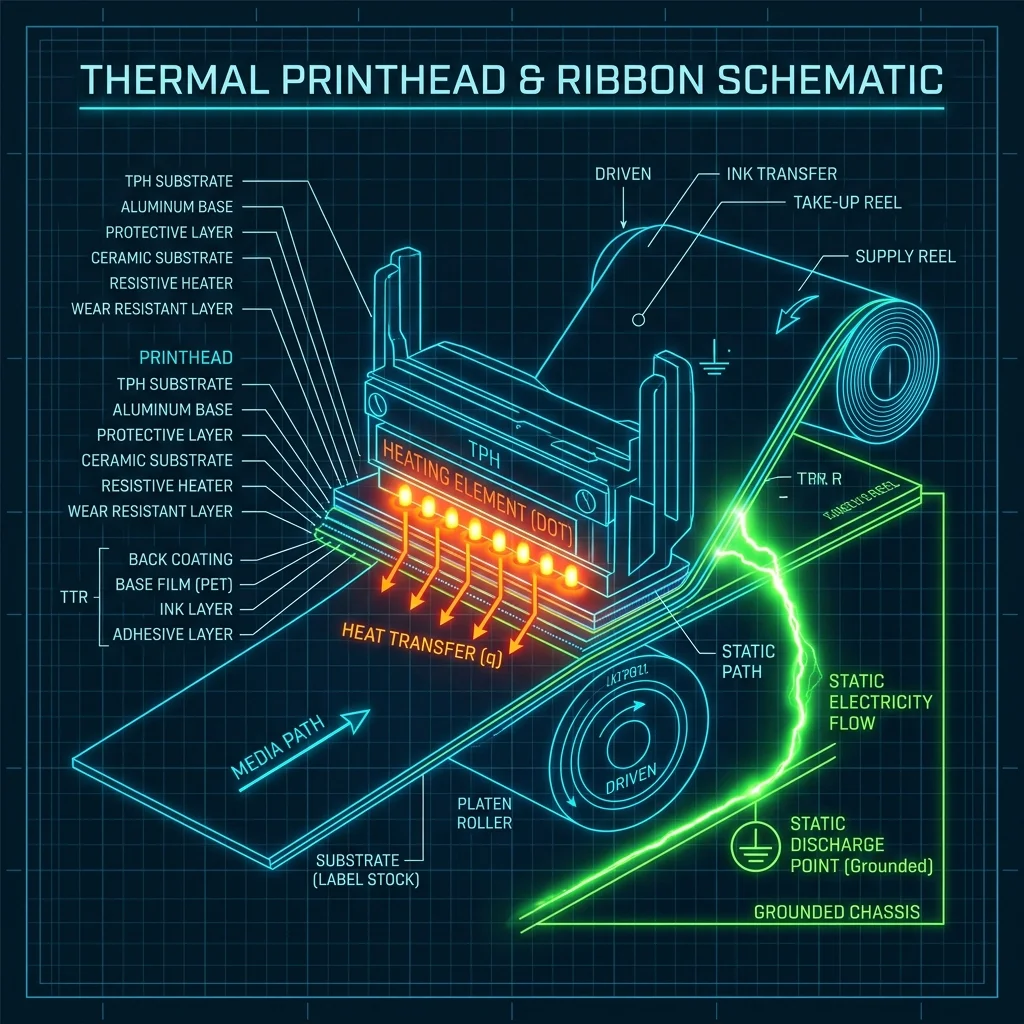
The back of a thermal transfer ribbon slides against the printhead while the ink side faces the label. A suitable backcoat helps manage friction, heat transfer, and static during this contact. It is one part of printhead care, alongside correct ribbon selection, printer settings, label cleanliness, pressure, and maintenance.
Friction and Heat
A consistent back surface helps the ribbon move smoothly across the printhead. Drag, contamination, or an unsuitable ribbon can disturb transport and concentrate heat. The effect should be evaluated on the actual printer rather than inferred from a marketing label.
Static and Debris
Moving polymer films can accumulate static charge. Static may attract dust and label fibers, while trapped debris can interrupt printed dots or abrade the contact area. Ribbon construction, printer grounding, ambient conditions, cleaning, and material handling all influence this risk.
A Practical Maintenance Routine
- Follow the printer manufacturer’s shutdown and cleaning instructions.
- Use only the cleaning material specified for the printhead.
- Inspect the print line, platen, ribbon path, and label path when changing supplies.
- Start with conservative energy and pressure settings and adjust only after examining a test print.
- Investigate recurring vertical voids rather than compensating indefinitely with more heat.
Backcoat suitability must be checked with the selected ribbon grade. Begin with the relevant current wax, wax-resin, resin, or near-edge series and qualify it on the intended printer and label.